SMS opt-in workflow
How CircleUp collects SMS opt-in from managers during account verification.
CircleUp uses SMS for account verification when a manager signs up. The flow displays the SMS consent disclosure before any message is sent. This page walks through each screen with the registered carrier-approved disclosure text.
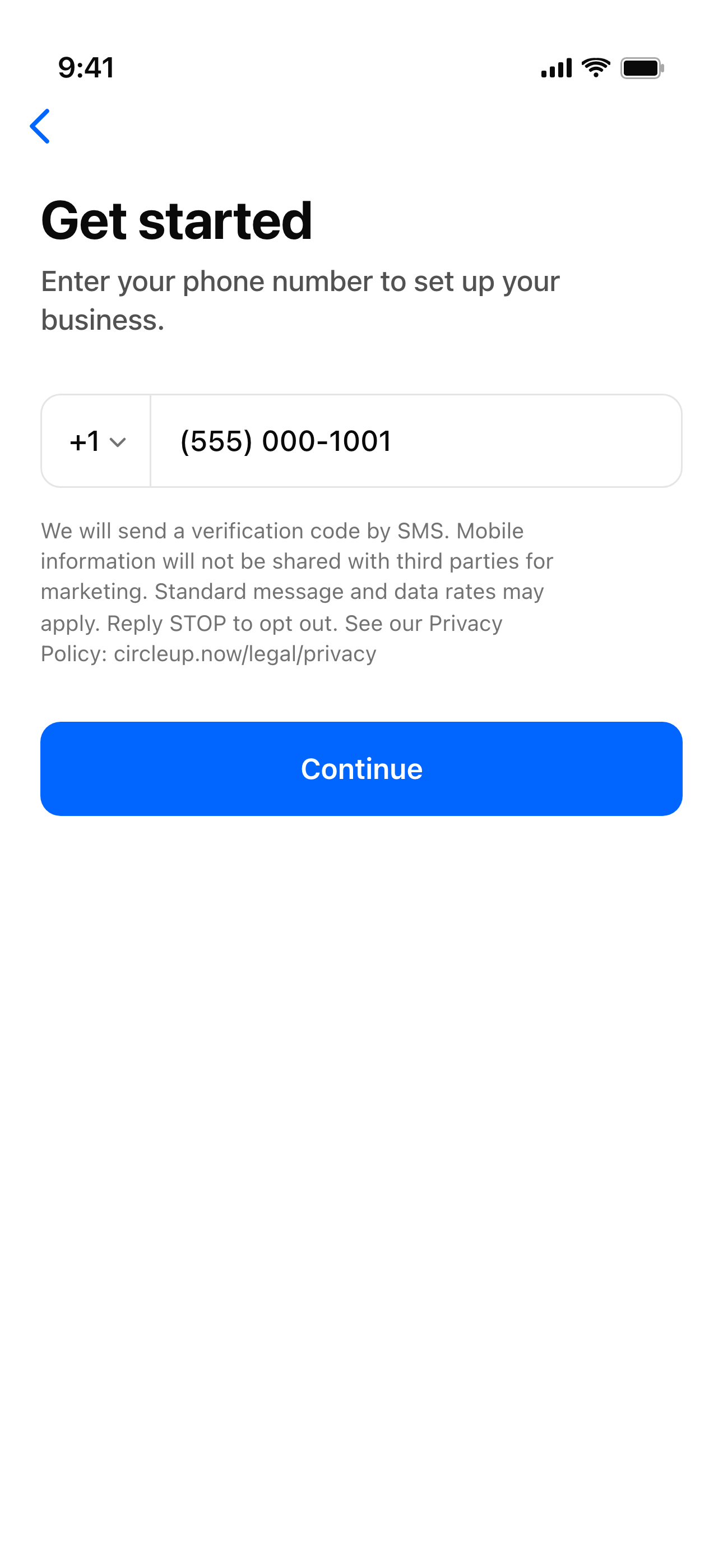
1. Manager signs up — phone entry
A new manager downloads CircleUp, taps Get started, and enters their phone number. The SMS consent disclosure is shown directly under the input, above the Continue button:
2. OTP delivery and entry
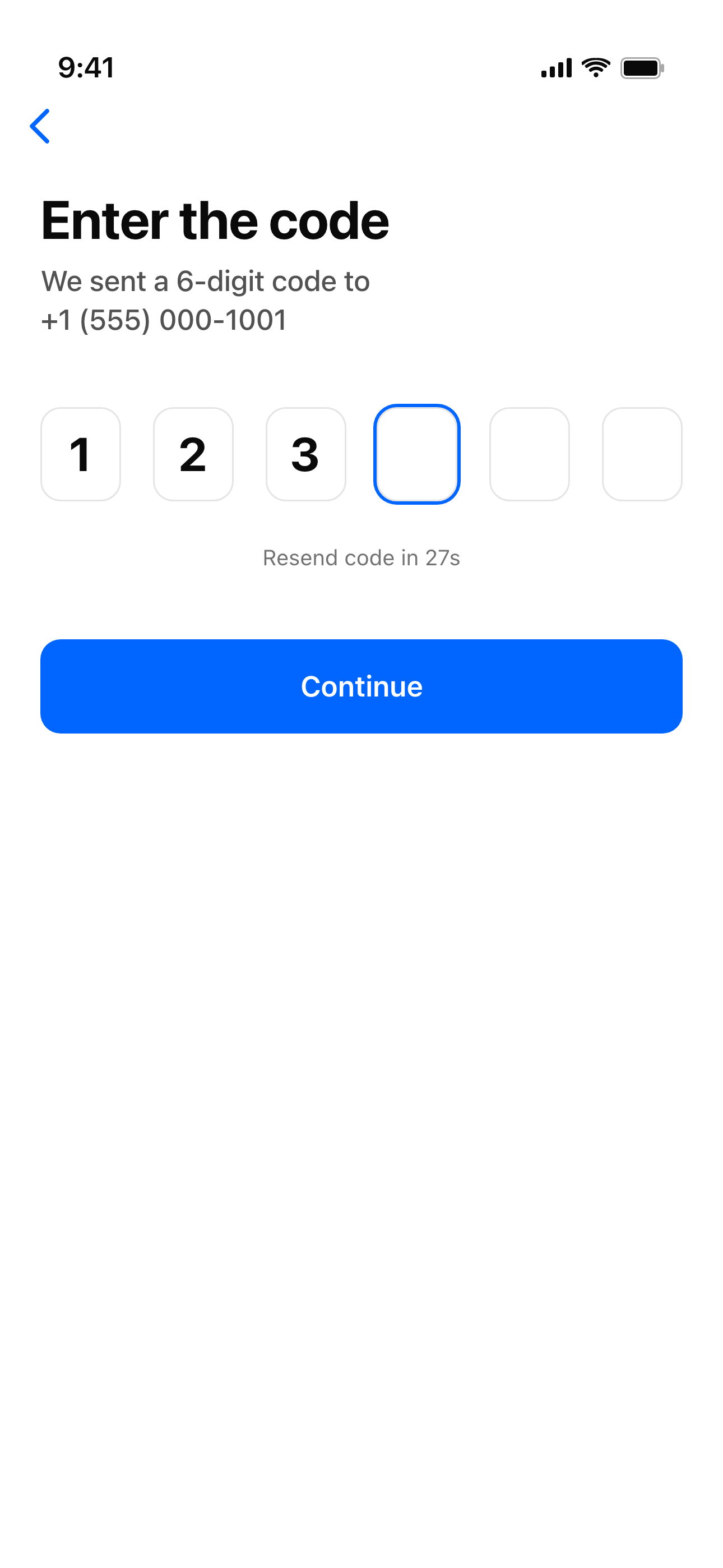
After the manager taps Continue, CircleUp sends a one-time verification code by SMS:
The OTP is delivered via AWS End User Messaging. The manager enters the code on the OTP screen to complete signup:
Opt-out, help, and standard rates
Recipients can opt out of all CircleUp SMS at any time by replying STOP to any message. CircleUp’s SMS provider (AWS End User Messaging) maintains the opt-out list at the carrier level — once opted out, no further CircleUp messages reach that number until the recipient re-subscribes by replying START.
For help, reply HELP to any message or email support@circleup.now. Standard message and data rates may apply.